
REST API for Loading Data
Historically, all data loading was performed exclusively through the PersephoneShell command‑line tool. More recently, we introduced a REST API server that enables data loading over standard web protocols. By accessing specific API endpoints, you can query the database or add, edit, and delete objects.
For example, to list all organisms in the database, you could access a URL like this:
http://localhost:5050/api/organism/all
Please note that we are still working on implementing functions of PersephoneShell in REST API, and the first version of the server implements just a few methods. The hand-written pages below cover the first available functions. In addition to that, we highly recommend learning the Swagger interface of the server, which will show the automatically generated documentation of the API (see below). Before working directly with the REST API, consider familiarizing yourself with PersephoneShell commands , use cases, and workflows. PersephoneShell offers an interactive environment that illustrates the core patterns for loading and managing data, while the REST API is designed primarily for automation and non‑interactive use cases.
PersephoneShellServer Configuration
Running the REST API server
Once the application configuration is complete, we can start PersephoneShellServer. To launch the server under linux, run the command
mono PersephoneShellServer.exe
By default, it will communicate via port 1338. If you prefer using a different port (e.g., 5050), specify it on the command line:
mono PersephoneShellServer.exe http://*:5050
The API is documented using Swagger UI. You can access it by navigating your browser to the URL that ends with /swagger, e.g., http://localhost:5050/swagger.
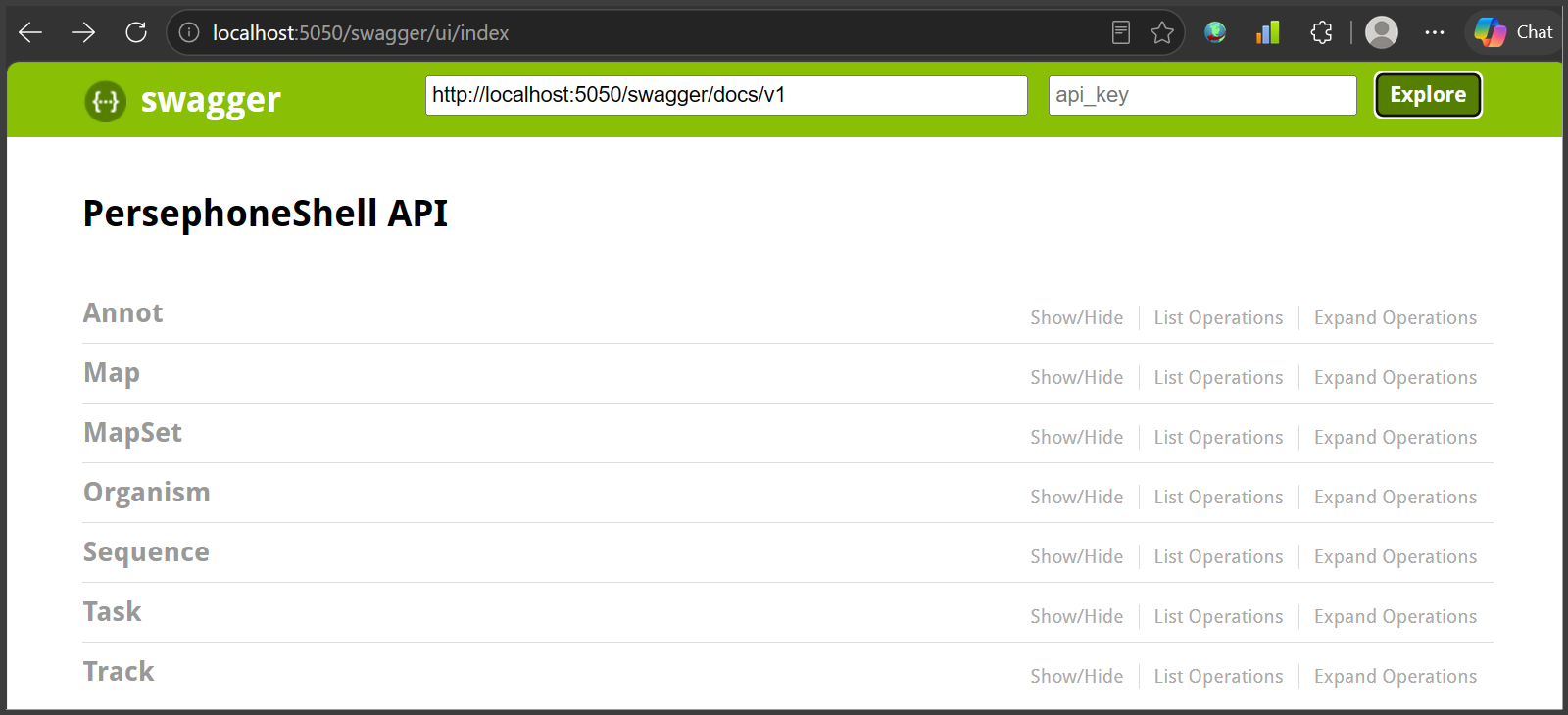
Get familiar with the procedure patterns by learning the API using Swagger UI. Once you cover the basics, you can automate the loading routines by calling the API endpoints, for example by using curl:
$ curl http://localhost:5050/api/organism/all
[{"Id":3659,"Name":"Cucumis sativus","CommonName":"cucumber","TaxonomyNumber":3659},{"Id":3702,"Name":"Arabidopsis thaliana","CommonName":"thale cress"...
To see the JSON output with better formatting use the jq tool:
$ curl http://localhost:5050/api/organism/all | jq
[
{
"Id": 3659,
"Name": "Cucumis sativus",
"CommonName": "cucumber",
"TaxonomyNumber": 3659
},
{
"Id": 3702,
"Name": "Arabidopsis thaliana",
"CommonName": "thale cress",
"TaxonomyNumber": 3702
},
{
"Id": 9595,
"Name": "Gorilla gorilla gorilla",
"CommonName": "gorilla",
"TaxonomyNumber": 9595
}
]
When a control file in JSON file is required, it can be supplied on the command line like this:
$ curl -X POST http://localhost:5050/api/organism/add -d @addorg.json -H "Content-type: application/json"
The REST API functions
The currently-available API functions are:
...
 Copyright © 2009-2026 by Persephone Software. All Rights Reserved.