
Handling Organisms
There are several functions for handling organism objects. To display the list of endpoints call the Swagger UI (e.g., http://localhost:5050/swagger) and select the item Organism.
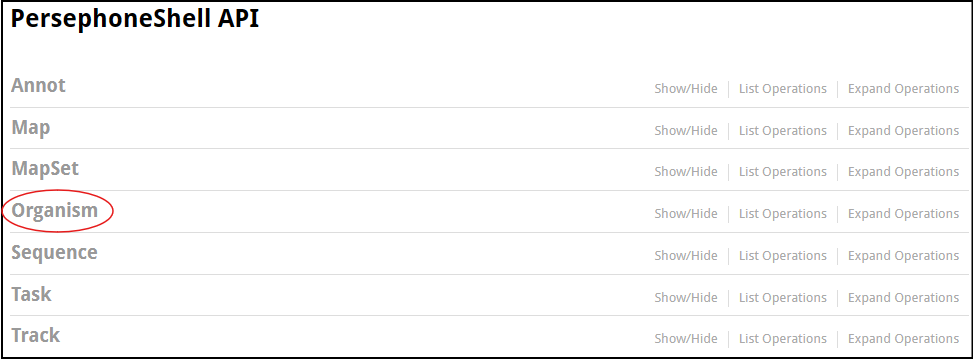
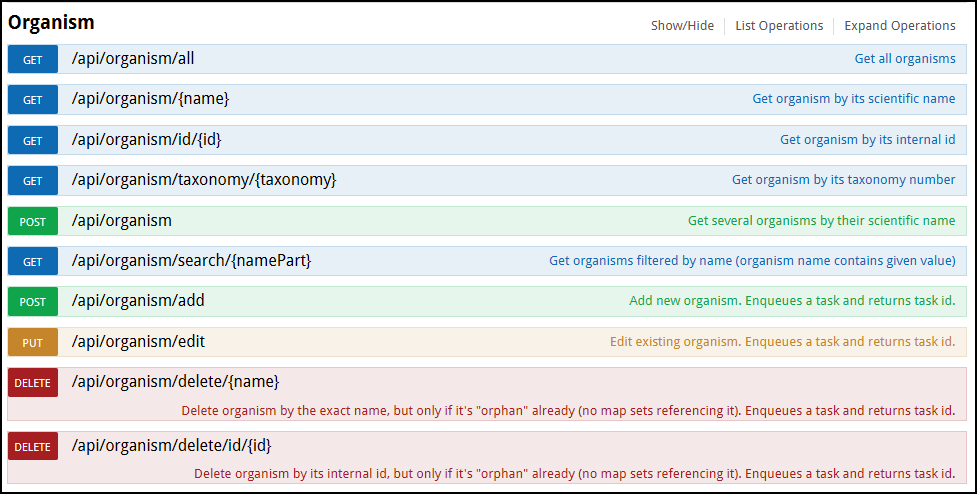
The interface will show the list of functions nested under the Organism node. As you can see here, organisms can be listed, added, edited, and deleted.
Listing organisms
To list all organisms in the database by using the UI, select the first item /api/organism/all:
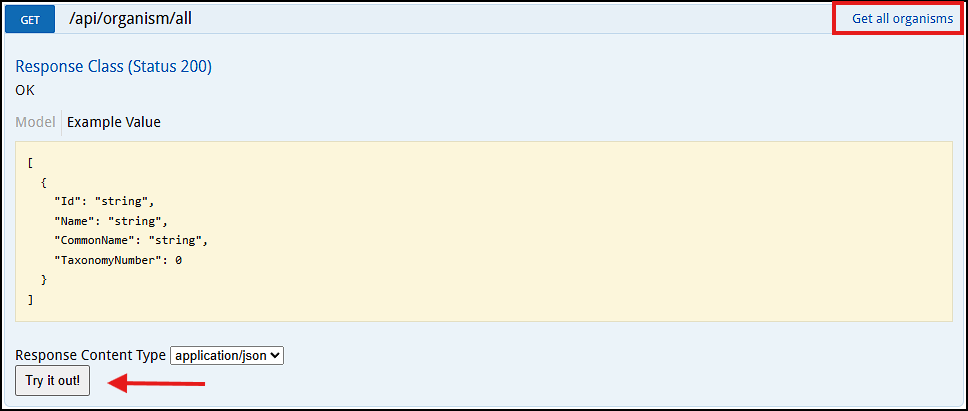
Please note that each function has a description shown in the top right corner. The middle part of the panel shows the example of the output value.
The function execution is done by pressing the button "Try it out!":
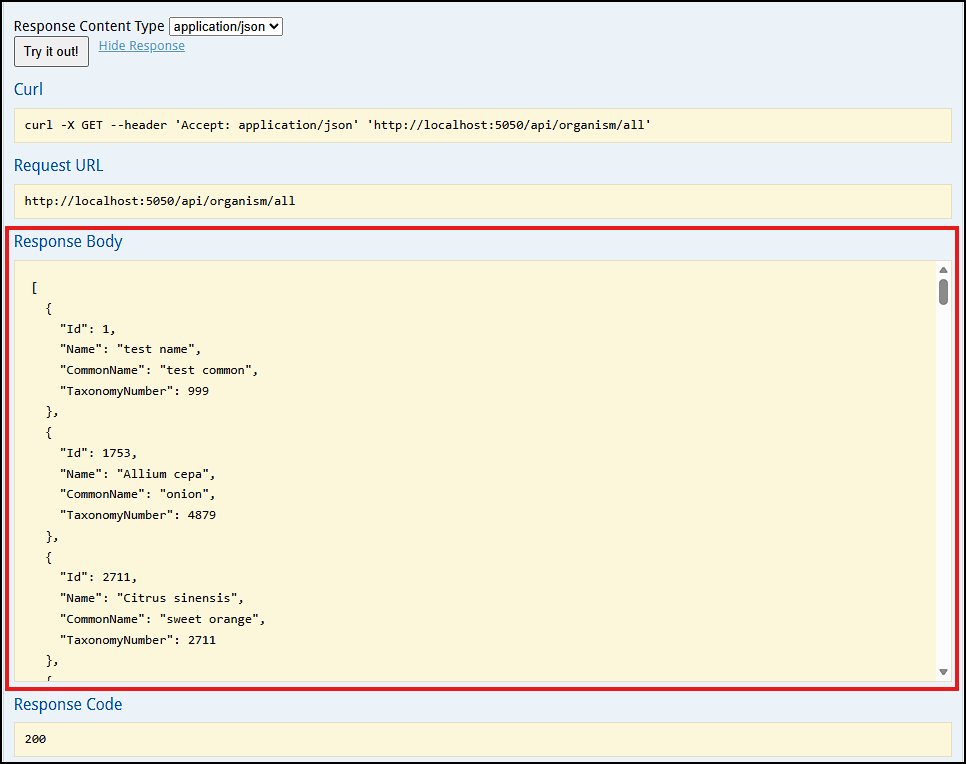
To call this function from the linux prompt, run the following:
$ curl http://localhost:5050/api/organism/all
[{"Id":1,"Name":"test name","CommonName":"test common","TaxonomyNumber":999},{"Id":1753,"Name":"Allium cepa","CommonName":"onion","TaxonomyNumber":4879},...
Tip
The provided output is a machine-readable JSON text. If you plan to read it, pass the output through the jq utility. It will help format the JSON output.
When accessing this endpoint in the web browser, the JSON output can be reformatted:
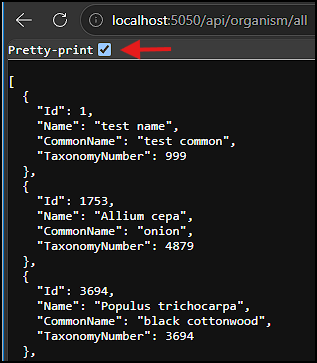
This endpoint emulates the PersephoneShell's command list organism with the long listing mode showing all available details for each organism.
Another flavor of the listing command uses an individual organism name or identifier:
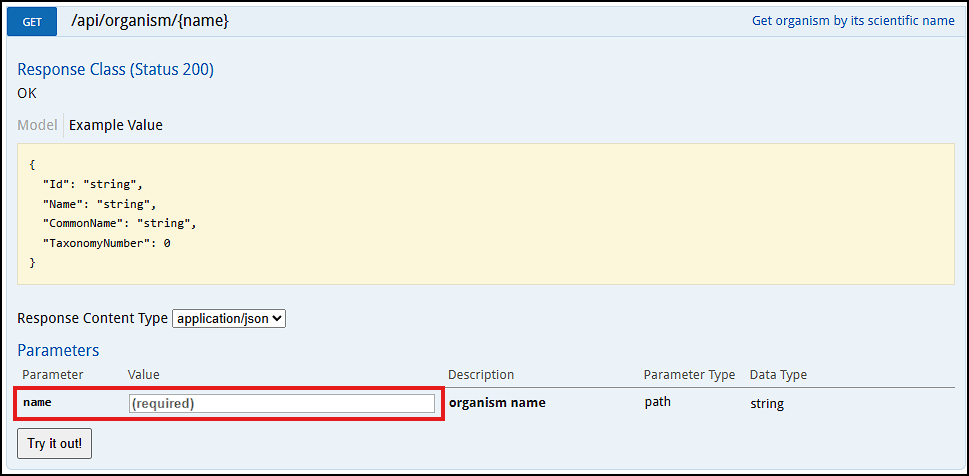
Provide the exact name of the organism (Allium sepa) in the name field and push "Try it out!".
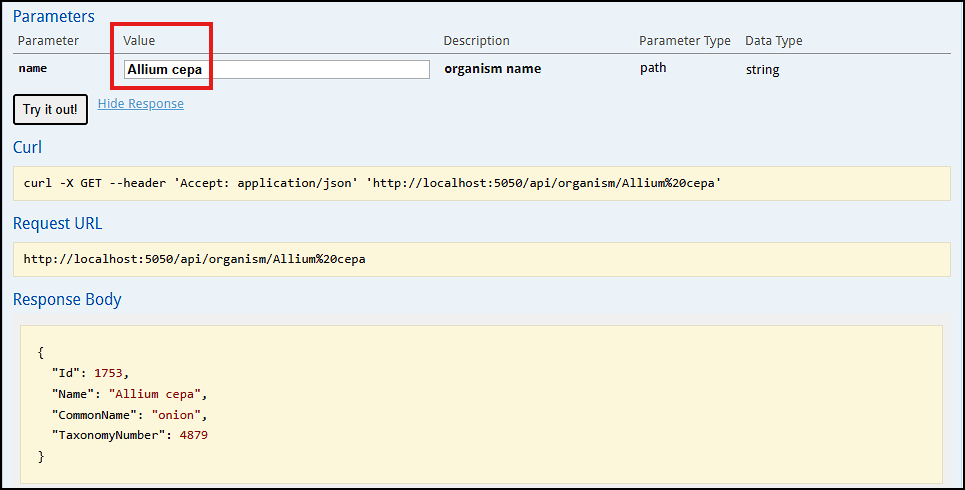
To display organism by Id, use another endpoint: /api/organism/id/{id}, for example, /api/organism/id/1753.
There is also a function that displays details for organisms corresponding to a query with multiple names. The exact scientific names should be provided as a list. For the Swagger interface, there is a multi-line text field that should be filled out following a specific JSON format. Note that this method uses a POST request. If you run curl, the JSON parameter is passed as a text after the -d switch:
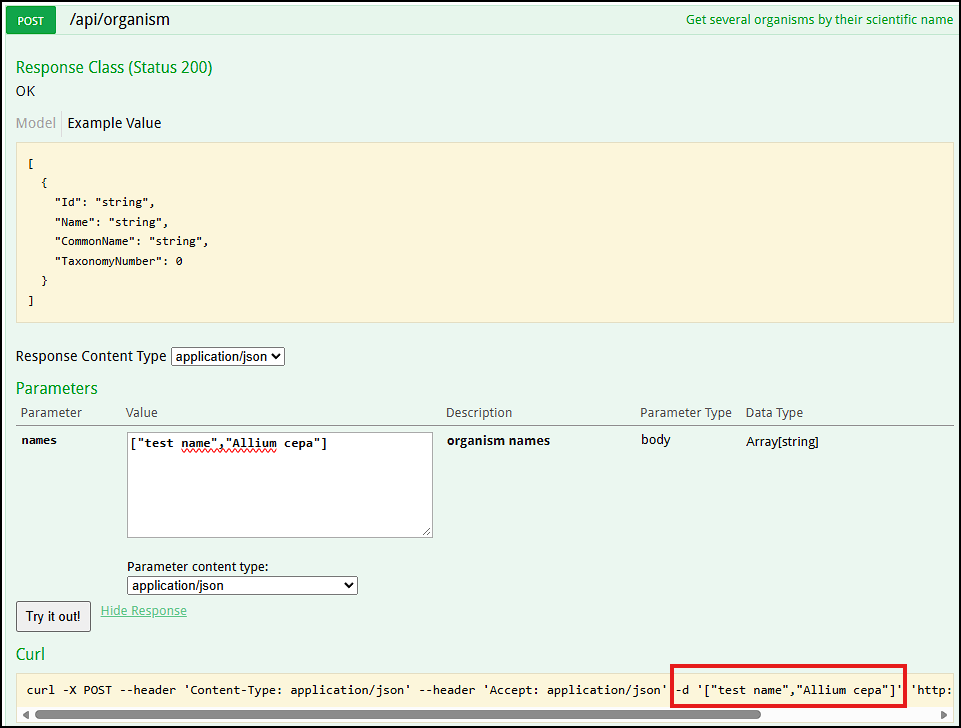
If you run this command under Windows, which does not recognize single quotes, it will look like this:
curl -X POST -H "Content-Type: application/json" -H "Accept: application/json" -d "[\"test name\",\"Allium cepa\"]" http://localhost:5050/api/organism
The double quotes in the JSON parameter should be escaped by using the back slash character.
Adding an organism
This time, we are trying to add a new organism and this step requires filling out all the relevant organism information in the JSON format. On the right you will see an example input.
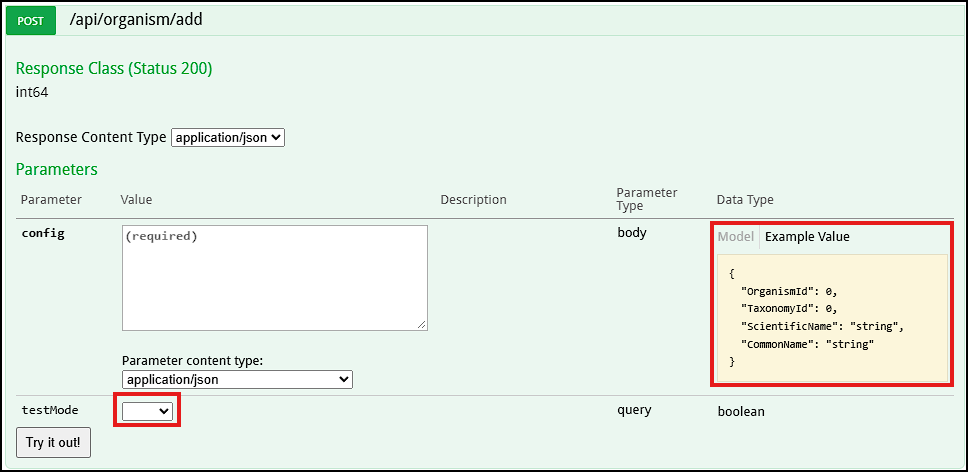
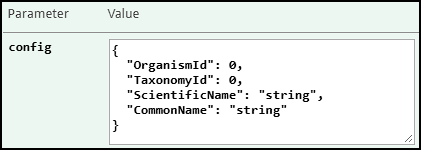
Clicking this panel will populate the config field:
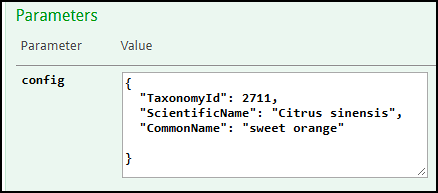
Let's add a new organism Citrus sinensis. Not all values are required. We can provide just three values, others can be omitted for now. The server will auto-generate the field OrganismId trying to match TaxonomyId if possible.
There is an extra paramter testMode. When it is set to true, the function will only test the values without actual adding the record to the database. It is an important pattern: first test the values in test mode and only if the test passes, set the flag to false. Push the "Try it out!" button.
The success of the test in Swagger UI can be shown by checking the status of the created task - its ID is displayed in Response Body:
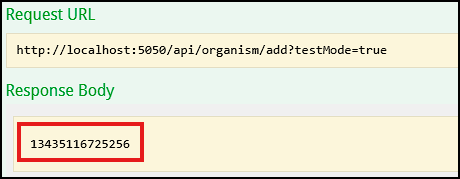
The Response Code 200 corresponds to Success. The Response Body is a task identifier. It can now be used in another part of the API available under Task menu. Select the endpoint for checking the status of a task by its ID 13435116725256:
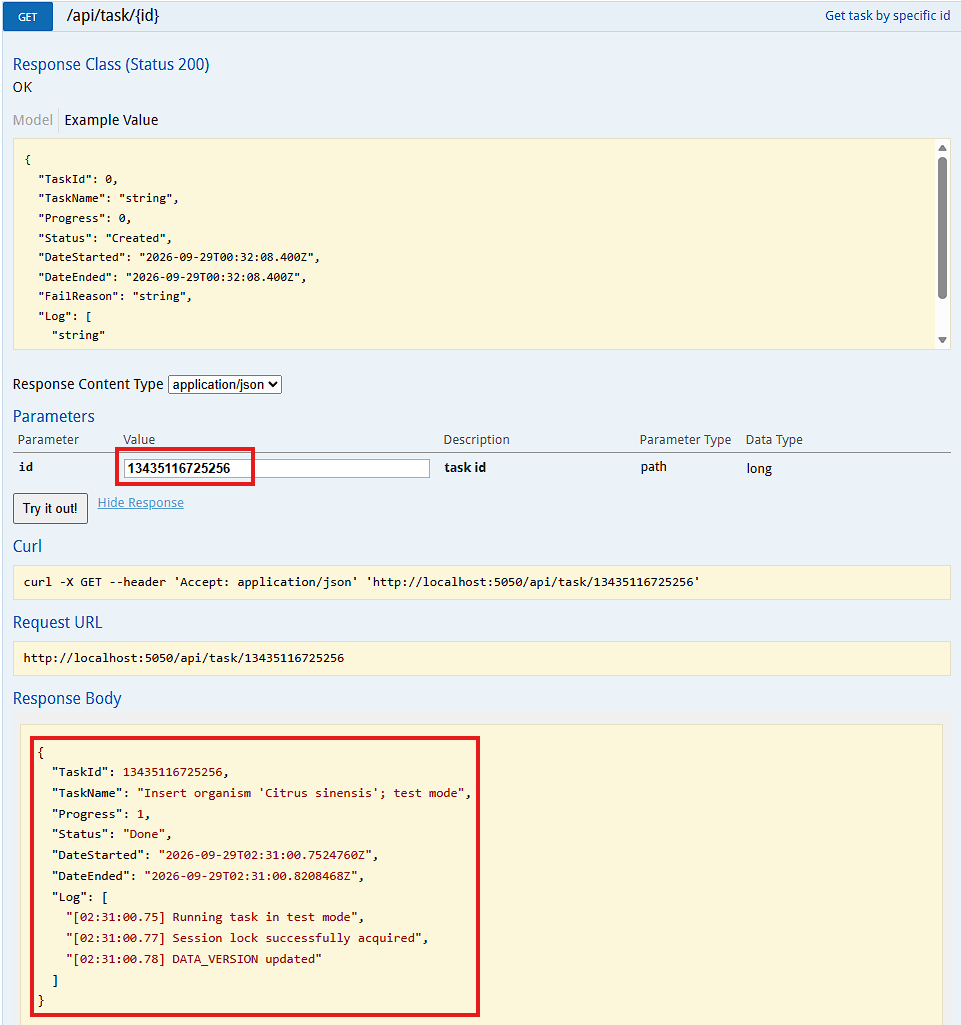
In case there are no errors reported, we assume that the test was successful.
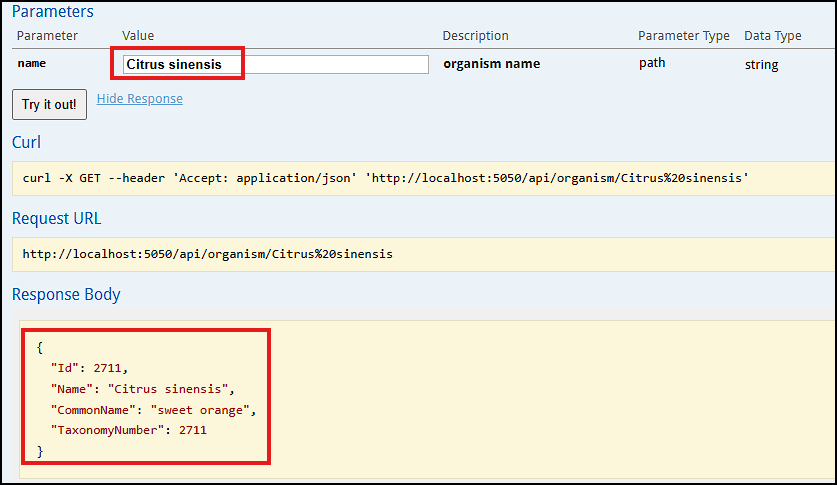
To add the organism record, reset the flag testMode and push the button "Try it out!". To see if the new record was created, we can use the /api/organism/{name} endpoint:
Editing an organism
Let's edit a test organism record. We can find it by the search function /api/organism/search/{namePart}:
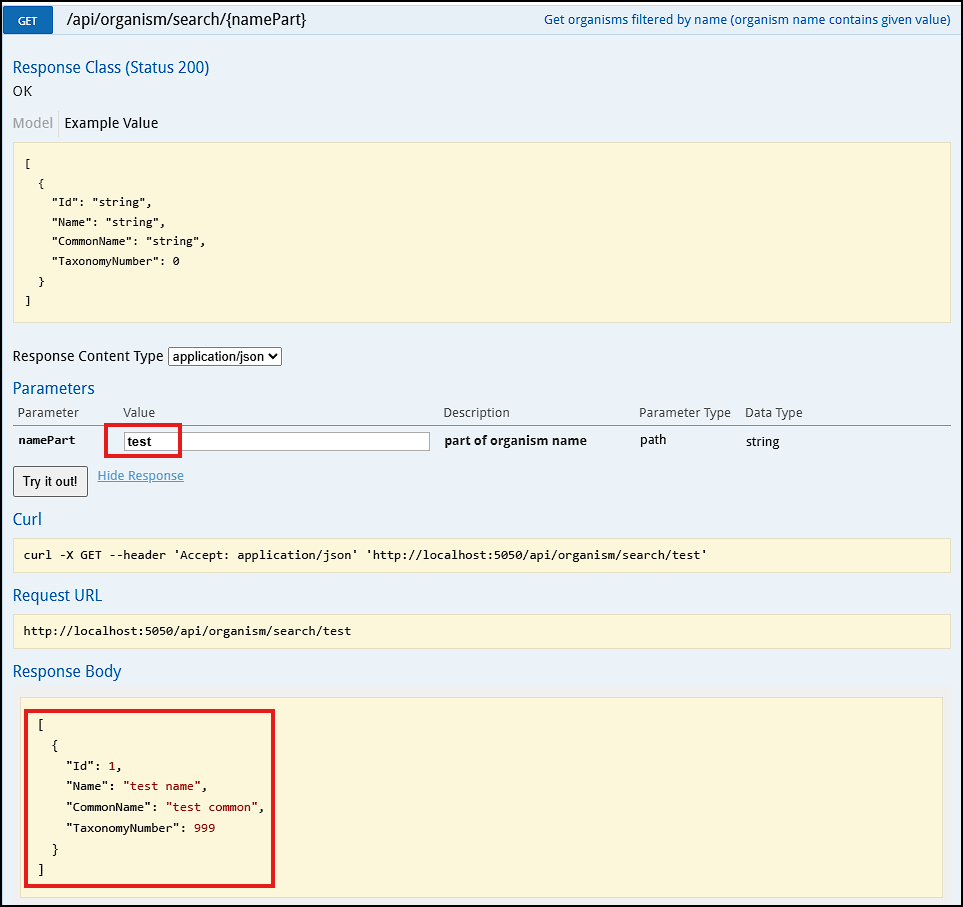
The edit function expects a JSON parameter. It specifies the Id of the record as well as the other values. This is where we can enter the updated entries. First, we will grab the JSON output of the search and modify the needed values, e.g., TaxonomyNumber. Let's change it to 111.
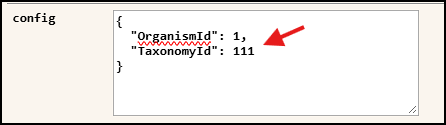
You don't have to provide all the fields if they are not being modified.
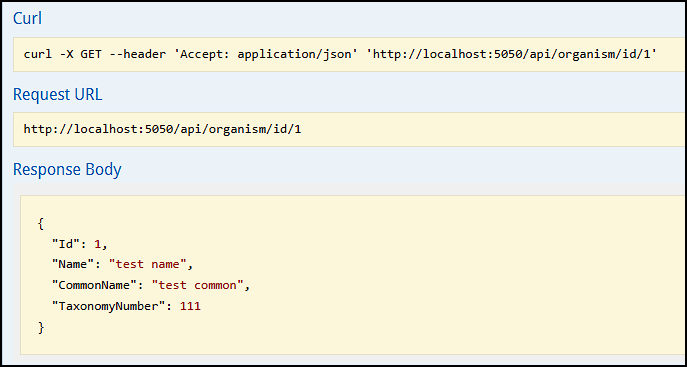
We will verify the modifications by calling /api/organism/id/1:
Deleting an organism
There are two versions of delete functions:

We can freely remove the test record with Id=1:
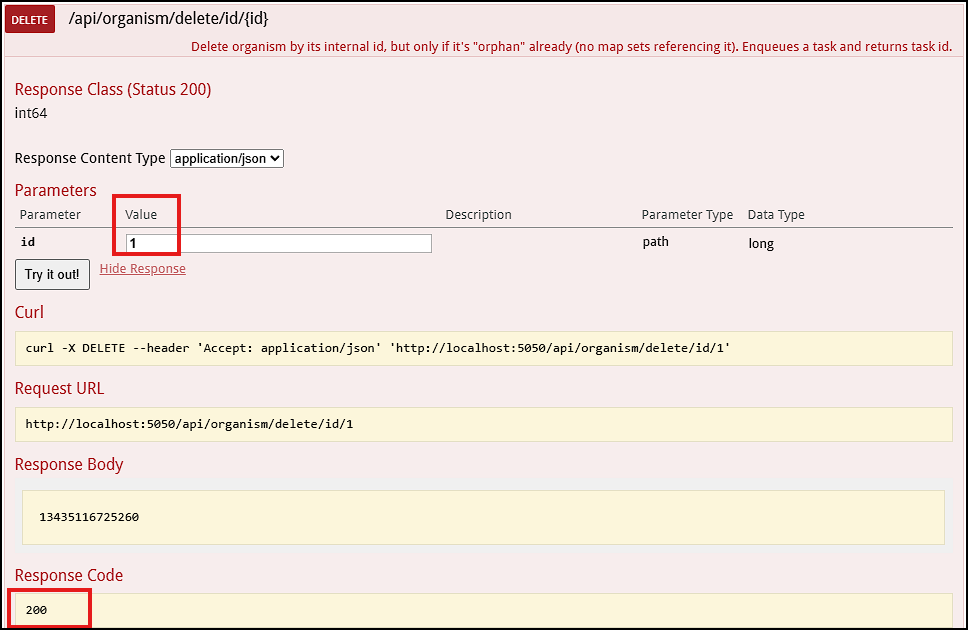
Check Response Code. If it is not 200, there was a problem, which most likely will be reported in Response Body.
 Copyright © 2009-2026 by Persephone Software. All Rights Reserved.