
Settings: Other
Other
This tab of the Settings dialog contains miscellaneous settings that don't belong to any other category.
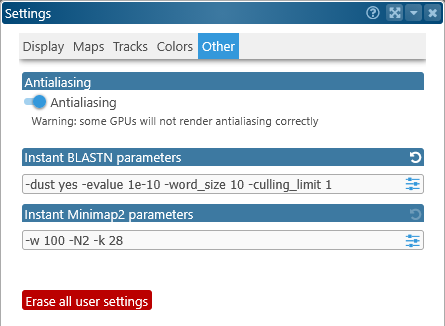
- Antialiasing: Makes all lines drawn on the screen appear smoother, especially the line connectors between tracks. You can turn this option off if you experience any visual artifacts or slowdowns (which can sometimes happen on older laptops).
- Instant sequence alignment parameters: Use these textboxes to manually type in (or paste) command-line parameters for BLAST and minimap2. You can also click the
 button to display a more user-friendly popup with some of the most common parameters; for example: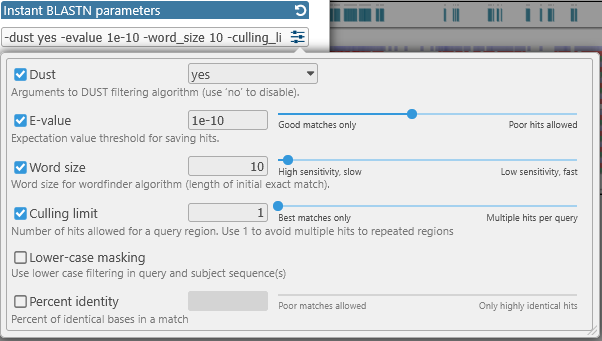
Click the button to return to the default parameter values.
 - Instant BLASTN parameters: Default command-line parameters for the Instant BLASTN function.
- Instant Minimap2 parameters: Default command-line parameters for the Instant Minimap2 function.
- Erase all user settings: Permanently resets all user settings to their defaults. This operation cannot be undone !
 Copyright © 2009-2026 by Persephone Software. All Rights Reserved.